
Shakti
Apps Script Automation Developer
Apps ScriptTriggersSlack & Email Alerts
Hire a Google Apps Script developer to take over the clicks your team repeats every day in Google Sheets, Gmail and Drive. We work with any business, quote a fixed price first and start from $15/hr.
Post a ProjectThese are the developers on our team who write Apps Script, from a single button to a full approval workflow.



Not sure who fits? Describe the task and we’ll pick the right developer.
Apps Script is the code built into Google Workspace. It’s a version of JavaScript that can read and change your sheets, send Gmail, create Docs, add Calendar events and move files in Drive, with no extra software to install.
It’s free with any Google account and runs on Google’s servers, so a script can do its work at 6 a.m. while your laptop is closed. If you’ve used Excel macros, think of it as the Google version, except it can also reach your email, calendar and files.
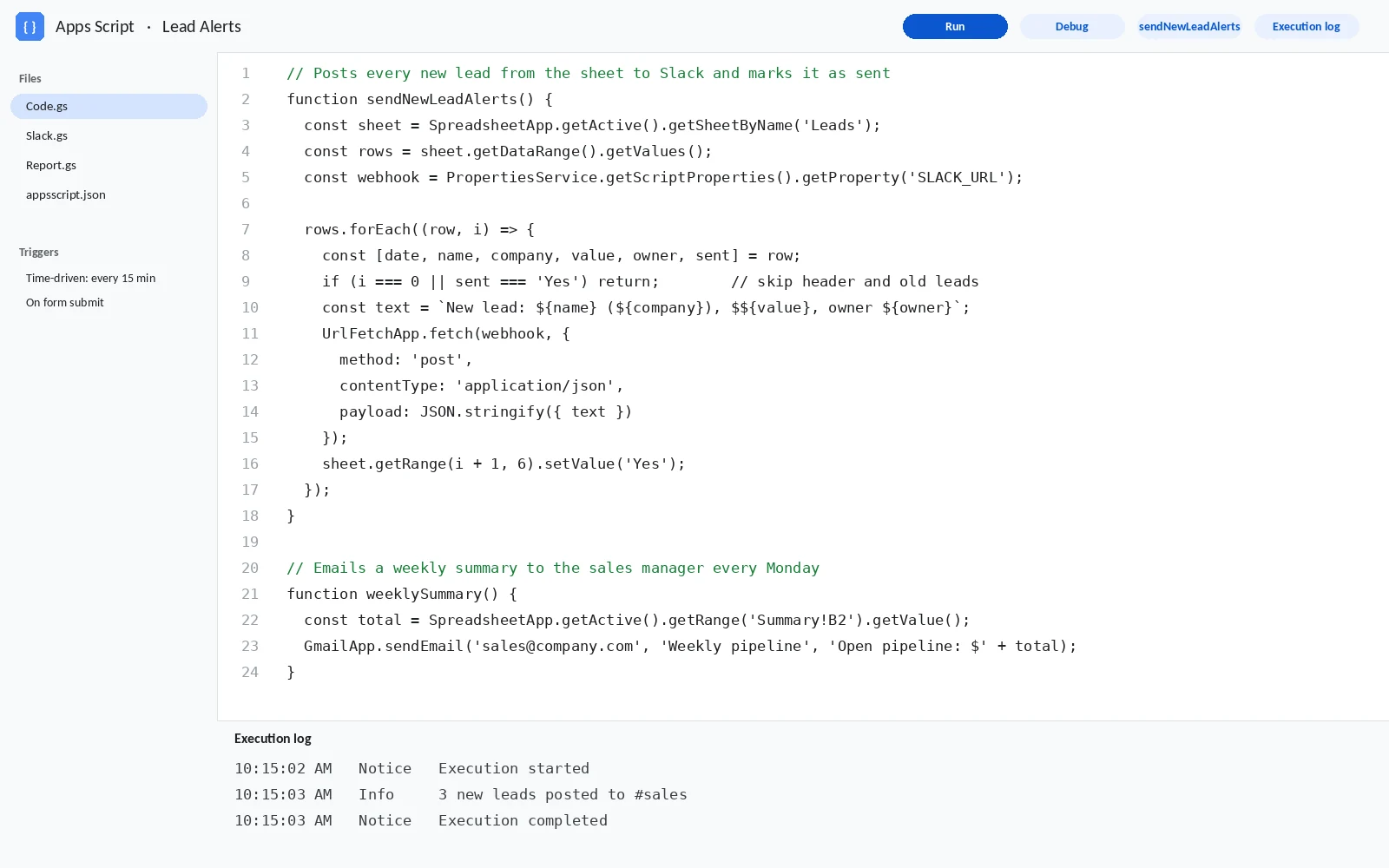
Have a task you repeat every week? Describe it and we’ll tell you if a script can take it over.
These are the jobs we’re asked for most. Each one starts with somebody doing the same steps by hand.
A script gathers the week’s numbers, builds the summary tab and emails a PDF to managers before they log in.
When stock drops below the reorder point or an invoice goes overdue, the script emails the owner or posts to Slack.
A script reads labeled emails, pulls the invoice number, amount and due date into a sheet and files the attachment in Drive.
We add a custom menu to your sheet, so anyone can click “Create invoice” or “Archive closed jobs” without touching a formula.
Custom functions are your own formulas, like =SHIPPINGCOST(weight, zone), written in Apps Script and used like any other formula.
Rows in a schedule become Calendar events, and new client folders appear in Drive with the right sharing settings.
A small web app or Google Form writes straight into your sheet, checks the entry and sends a confirmation email.
VBA doesn’t work in Google Sheets. We rewrite the macro as Apps Script and check it gives the same result.
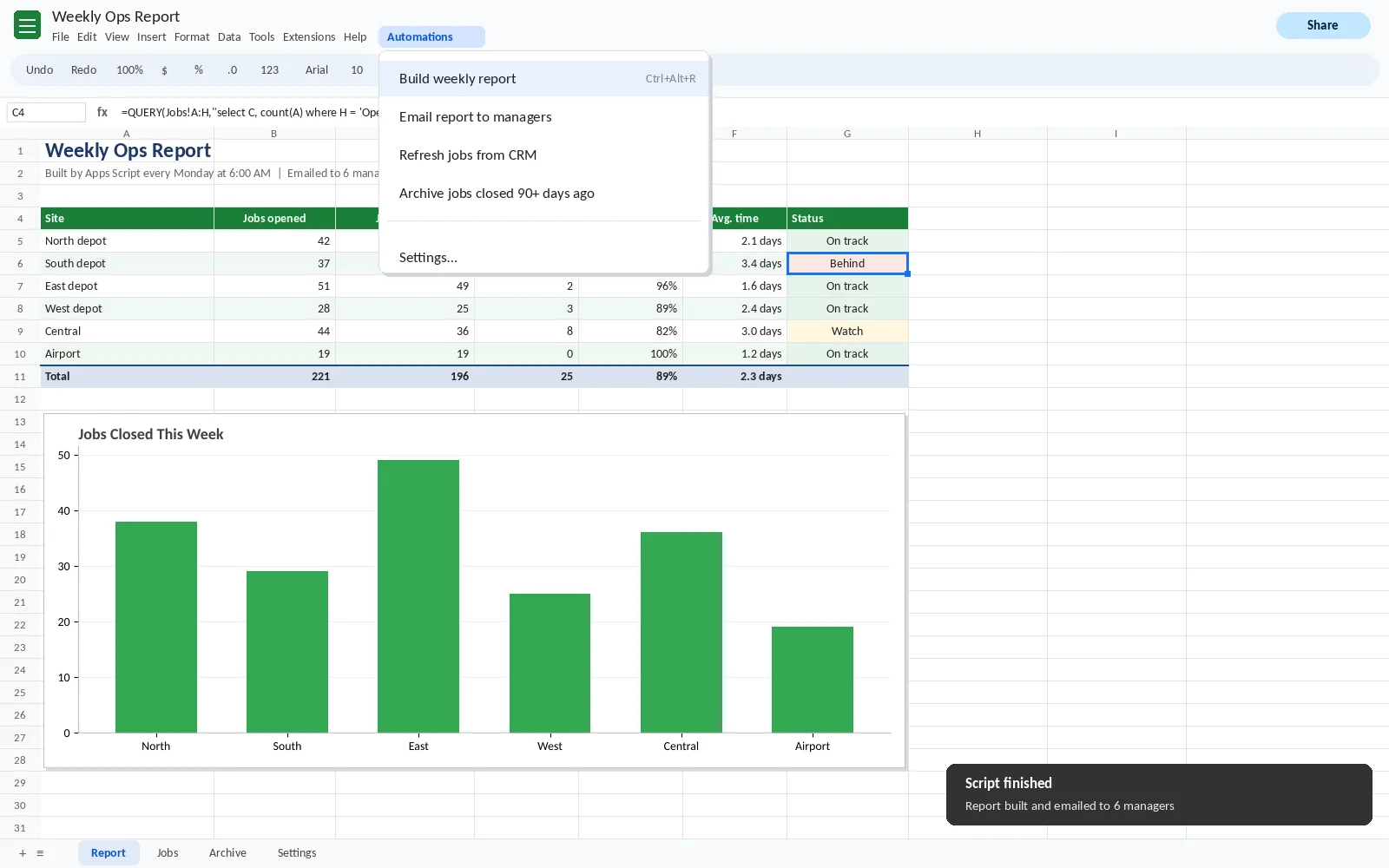
Need one of these, or something close? Post your project.
A trigger is the rule that starts a script. Picking the right one is half the job.
| Trigger | Runs when | Example |
|---|---|---|
| On edit | Someone changes a cell | Stamp the date and the editor’s name when a status changes to “Done” |
| On open | Someone opens the file | Add the custom Automations menu |
| Time-driven | On a schedule you set | Import yesterday’s orders at 6 a.m. and email the summary |
| On form submit | A Google Form response arrives | Create a PDF from the answers and email it to the manager |
| On change | Rows, columns or tabs are added or removed | Rebuild a lookup list when a new product tab appears |
Not sure which trigger you need? Tell us what should happen and when.
Apps Script is free, but Google sets limits. Scripts written without them in mind pass a quick test and then fail on real data.
A single run stops after 6 minutes. For big jobs we process data in batches and pick up where the last run stopped.
Scheduled scripts get 90 minutes a day in total on a free Gmail account and 6 hours on Google Workspace. We keep each run short so you don’t hit the cap.
A script can email 100 recipients a day from a free account and 1,500 from Workspace. For bigger mailings we’ll suggest a proper email service.
Reading cells one at a time is the most common reason scripts crawl. We read and write whole ranges at once, which is usually far faster.
Have a script that times out? Post it as a project and we’ll speed it up.
Did exactly what I asked. Very patient and helpful.
Great work, easy to communicate with.
Great work timely and error free.
Want a script that does the boring part? Post your project.
| Small scripts: a button, a menu or a cleanup routine | $15–30/hr |
| Scheduled reports, emails and alerts | $25–40/hr |
| Gmail, Calendar and Drive automation | $25–40/hr |
| Web apps, add-ons and multi-step workflows | $30–50/hr |
Every job gets a fixed quote before work starts, and you pay after you approve it. Apps Script itself is free, so there’s no software cost on top.
Need a number for your job? Post your project and we’ll quote it.
Describe what you do today, step by step. A short screen recording is ideal.
We reply with what the script will do, which trigger it uses and a fixed price, usually within the hour.
Your developer runs it on a copy of your file with you, fixes anything that’s off, and you pay after you approve.
The quickest way to start is to post your project. It’s free.
What is Google Apps Script?
Google Apps Script is the free, JavaScript-based coding tool built into Google Workspace. It automates Google Sheets, Gmail, Docs, Calendar and Drive, and runs on Google’s servers on a schedule or when something changes.
How much does it cost to hire an Apps Script developer?
Most Apps Script jobs cost $15 to $50 an hour. A button or cleanup script is at the low end, and web apps or multi-step workflows are at the top. You get a fixed quote first and pay after you approve.
Do I need a paid Google Workspace account?
No. Apps Script works on free Gmail accounts too. Workspace accounts get higher limits, like 1,500 email recipients a day instead of 100, which matters for bigger jobs.
Can you convert Excel VBA macros to Apps Script?
Yes. VBA doesn’t run in Google Sheets, so we rewrite the macro in Apps Script and compare the results with the original workbook before handing it over.
Why does my script stop with “Exceeded maximum execution time”?
Google stops any single run after 6 minutes. The usual fix is reading and writing whole ranges instead of single cells, and splitting long jobs into batches that continue on the next run.
Will the script keep working if the developer leaves?
Yes. It lives in your Google account, its triggers run under your account, and the code is commented so any developer can maintain it.
Can Apps Script connect to other apps?
Yes. It can call other apps’ APIs, for example to pull orders from Shopify or post to Slack. For bigger integrations, see our Google Sheets API developers.
Still have a question? Contact us and a real person will answer.
Whatever you repeat each week, the quickest start is to post your project.
Tell us the steps you repeat. You’ll get a fixed quote from $15/hr, and you pay once the script runs the way you want.
Get a Free Quote